
Creature Chronicle
Blaze Bramblewhip’s Christmas Creature Chronicle
Twelve rare Christmas creatures have come out for their annual holiday hang-about, and Blaze needs your families to photograph every last one.
- Ages
- 5 and up
- Stops
- 12 creatures
- Play time
- 1 to 2 hours
- You print
- Nothing
From £19.99


On the day
What families do at every stop

Step 1: Meet Blaze
Blaze Bramblewhip, Christmas Creature Wrangler, briefs the family and marks twelve hiding spots on their map.
Step 2: Head for the spot
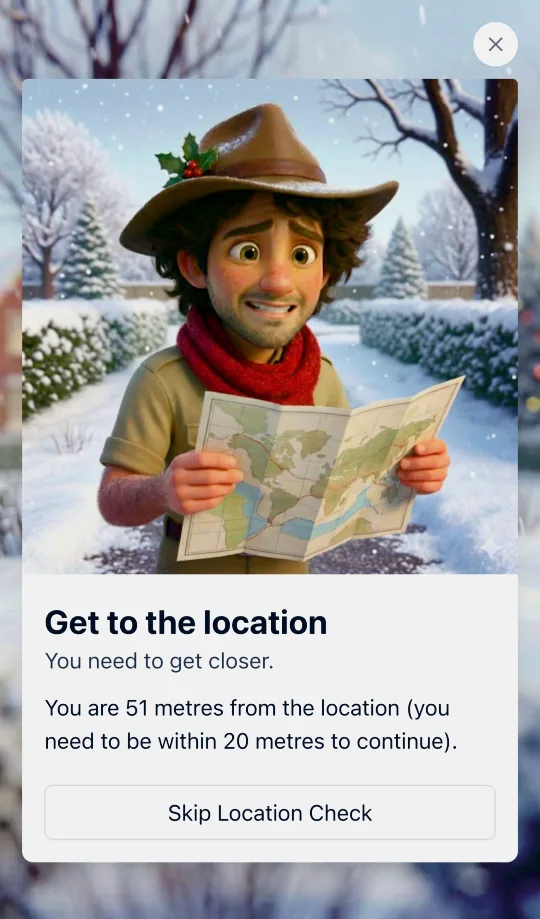
The phone knows where each creature hides. Get within about 20 metres and the Creature Camera wakes up.
Step 3: Snap the creature
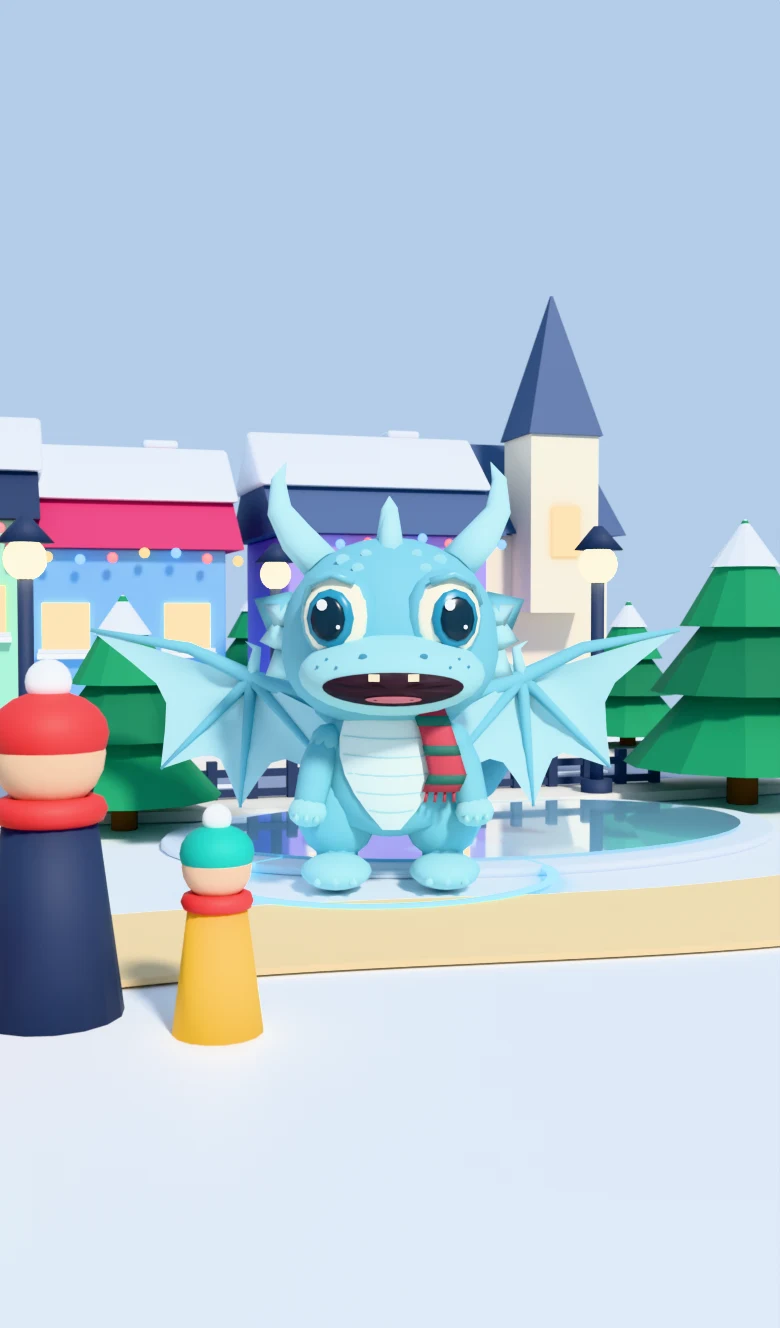
The creature appears through the camera, right there in your park. Line up the shot before it wanders off.
Illustration. On the day, it is your own park in the camera.

Step 4: Read the field guide
Every catch unlocks Blaze’s write-up: the species, the habits and the weird bits.
The story
What your families are walking into
"G’day mates! I’m Blaze Bramblewhip, Christmas Creature Wrangler, North Pole Field Guide, and part-time mince-pie taste-tester."
Blaze is an Australian wildlife photographer who happens to specialise in festive wildlife, and he reckons your town is prime Christmas creature country. When the lights go up and the air gets cold, the beasties come out: sparkly ones, stripey ones, cheeky ones, and at least one who thinks she is already famous.
He has marked twelve spots on your map. Get close to one and the Creature Camera wakes up. The creature is really there on screen, in the park in front of you, moving about and refusing to hold still. Line up the shot, wait for the moment, and snap. Then Blaze gives you the full field-guide write-up: the species, the habits, the weird bits.
Twelve creatures. One Chronicle. No set order, so wander wherever you fancy.
Broad, funny and a bit daft, with a narrator who never drops the accent. The AR gives it a wow moment that plays well with older children and teenagers as well as little ones.
Meet the cast

Blaze, mid-stakeout. 
The Yule Cat, entirely unbothered. 
The Frost Dragon, still braking. 
The Glow Fairy. 
R A P T O R, posing for the camera. 
The Candy Fairy. 
Briefings before every hunt. 
The full Chronicle, complete.
For the organiser
Four steps from here to your first family
- 1
Buy the trail
One fee covers your organisation for the season: the whole story, all twelve creatures and all the artwork.
- 2
Make it yours
Tell the wizard where you are and it writes your place name through Blaze’s script. Then drop the twelve creature spots onto your own map: a bandstand, a bridge, a big tree, the corner of the rec.
- 3
Set your radius and test one stop
Each spot unlocks within about 20 metres. Walk one of them with a phone before you launch: it takes ten minutes and tells you whether your placements are generous enough.
- 4
Share the link, families play
Post the link (and the short code, for anyone who would rather type it in) on your school or community group, print a poster or two for the noticeboard if you want one, and families walk the route on their own phones whenever they like.
Everything in the box
12 AR creature photo-hunts
Each creature is animated and anchored in the real world through the phone camera. It moves, it wanders out of frame, and families have to work to get the shot. This is the bit everyone films and puts on the class WhatsApp group.
12 GPS stops, so you may not need signs at all
Each hunt unlocks when the family is within about 20 metres of the spot you chose. No posters, no code words, nothing to laminate, though most organisers still put up a few signs to advertise the trail.
A full field-guide entry for every creature
The Yule Cat in a spiked helmet, a frost dragon that cannot stop skidding, R A P T O R the show-off delivery robot, a candy fairy, a glow fairy, a polar bear cub with balloons. Each one gets its own illustrated page of habits and fun facts after the catch.
16 story screens in Blaze’s voice
An opening briefing, a running commentary and a proper send-off at the end, all narrated by a man who says "crikey" without irony.
Encouragement when the shot is missed
Miss the creature and Blaze takes it well: "that one slipped right out of frame, sneaky little thing." Families try again rather than giving up.
Plays in the phone’s browser
The AR runs in the browser from a link or a short code. No app store and nothing to install.
What you’ll need
The honest list. Better to know now than the week before you launch.
A reasonably modern phone with a camera
The AR needs a recent phone with a working camera, roughly iPhone 11 / 2020-era Android or newer. That is our best estimate rather than a tested matrix; we will confirm the exact supported-device list before launch. Older handsets can still read the story, but the creature hunts will struggle.
Outdoor spots with a bit of space
Families hold the phone up and turn on the spot to find the creature, so each stop wants a couple of metres of clear ground. Open grass, a path corner, a quiet green, not the edge of a road.
Decent GPS at each stop
Stops unlock by location, so pick places with a clear view of the sky. Dense tree cover or a narrow alley between tall buildings will make the unlock hesitant.
About an hour to set up
Less than the poster-based trails, because there is nothing to print for every stop. An hour in the wizard, then a walk round to sanity-check the placements.
An adult with each group
Children are looking at a screen while walking outdoors. Families play together, and we say so on the opening screen.
Pricing
Run Creature Chronicle this Christmas
From £19.99
per trail, one-off
One payment for one run of the trail in your area, for as long as your season lasts. Group and multi-site rates are available. Get in touch and we will confirm your price before you launch.
Running it for several schools or sites? Ask us about group rates.
What the price covers
- All 12 AR creature hunts and the full story
- Your place name written through the script
- GPS stops placed on your own map
- A print-ready poster or two for your noticeboard, if you want them
- Live progress for your organisers
Questions
The things organisers ask first
What ages is it for?
Roughly 5 and up with a grown-up. The AR holds older children and teenagers better than a standard treasure hunt does, and the field-guide pages give the adults something to read out.
Does the AR need a special app?
No. It runs in the phone’s browser using the ordinary camera. Families tap "allow camera" once and that is it.
What if someone’s phone cannot handle the AR?
They still get the story, the map and every creature’s field-guide page. They just miss the photo-hunt itself. Worth mentioning in your launch post so nobody is caught out.
Do we need to print signs or posters?
No, not for the stops themselves, because every one unlocks by GPS, not by a code word on a poster. There is nothing to laminate. Most organisers still put up a poster or two at the school gate and the village noticeboard, with the link and a short code on it, just to let people know the trail exists.
What happens if it rains?
The trail sits on your map, not on a calendar, so families play whenever suits them across the window you set. Most organisers run theirs over a fortnight in December and let people pick a dry afternoon.
How many families can play at once?
There is no cap and no queue. Everyone plays on their own phone, at their own pace, in whatever order they like. A hundred families on the same Saturday is no different to one.
Do we need to be there while people play?
No. Families play on their own, at their own pace. You will want to walk the route now and then to check the stops are still in place, and some organisers staff a start point on the busiest days to sell codes and refreshments, but nobody needs to stand at a stop.
Is it safe for children?
Families play together under adult supervision, and we say so on the opening screen. Children never make accounts and we never ask them for names or personal details. We count anonymous, cookieless usage so we can improve the trails, and players can switch that off. Pick your stops the way you would plan any walk: pavements, daylight, and nothing that needs crossing a busy road.
Does it work with no signal?
Screens load as families reach each stop, so patchy 4G is fine but a true dead spot is not. If part of your route has no coverage, tell us when you set up and we will help you place the stops around it.
How accessible is it?
Text can be enlarged with the phone’s own settings, every screen works one-handed in portrait, and you choose the route, so you control step-free access, distance and gradient. Families can also skip a challenge and carry on rather than getting stuck.

Also this Christmas
Candy Cane Quest
The classic school Christmas hunt: twenty characters hidden around your neighbourhood, each guarding a candy cane behind a riddle, a quiz or a mini-game.